



Murata Noise Suppression for USB 3.1
USB was originally developed as a digital interface for connecting computers and peripheral devices. It is now widely used as a general-purpose interface for a variety of applications, including mobile devices and the Internet of Things (IoT). The maximum transmission speed was initially 12Mbps, but this has increased to 480Mbps for USB 2.0 and to 5Gbps for the latest USB 3.1 Gen 1. The connector shape has also evolved and the Type-C connector features enhanced ease of use and power supply capability.
USB 3.1 device noise situation
What is the radiation noise situation for USB 3.1 devices?
The USB 3.1 Gen 1 noise situation is thought to be similar to that of USB 3.0, so a USB 3.0 PC and external HDD were connected and the radiated noise was observed (Figure 1, below).
Type A-Type B and Type C-Type C connection cables were used. Both had noise levels within the regulation values for unwanted radiation noise, so this was not a problem.
Given these results, Murata wanted to know whether noise suppression is even necessary for USB 3.1 devices. Actually, noise suppression is needed for a different reason than noise regulations for unwanted radiation.
Figure 1

USB 3.0 function radiation noise
Noise problems in USB 3.1 devices
More and more, digital devices include communication functions, like a smartphone. Smartphones contain various digital circuits built into a small frame, and these circuits produce digital noise.
When this noise enters the smartphone antenna, it mixes with radio waves from the base station, resulting in lower reception sensitivity. Typically, sufficient countermeasures are taken to prevent noise from entering the antenna directly from the digital boards. But when a USB or other interface cable is connected to a smartphone, that cable becomes a source of radiation, so the noise entering the antenna increases and the reception sensitivity drops.
Communication Example

Noise comparison
Figure 2 (below) shows the noise entering the LTE reception block antenna measured in a simple measurement environment. This shows that when a USB cable is connected, the noise level increases by around 20dB.
Figure 2

Noise suppression for USB 3.1 devices
An effective noise suppression method for USB 3.1 devices is to apply noise filters to the connector. But high-speed differential signals flow in the signal lines, and care must be taken so the filters used do not adversely affect the signal quality.
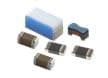
Common-mode noise filters are a type of noise filter that has almost no impact on differential signals and can effectively remove common-mode noise that is the main cause of radiation noise. Therefore, Murata common-mode noise filters for USB 3.1 are inserted into differential signal line pairs (Figure 3, below).
Use of common-mode noise filters allows the reduction of the noise level entering the antenna by up to 10dB (Figure 4, below).
Figure 3

Common-mode noise filter insertion locations
Figure 4

Noise reduction effects of common-mode noise filters
Additional countermeasure - GND improvement
Countermeasures other than using noise filters were also taken to further enhance noise levels. USB cables perform differential transmission of signals using a twisted pair structure that does not easily radiate noise.
But noise entering the cable shielding may be radiated from the shielding, so the GND was improved as a countermeasure.
In the measured device, the USB connector and the board were originally connected using a single screw and multiple finger gaskets.
The USB connector frame and the smartphone board GND were connected using copper foil tape, creating a strong connection and reducing the impedance (Figure 5, below).
Improvement of the GND reduced the noise level by approximately 6dB to 8dB.
Figure 5

Effect of GND improvement
Additional countermeasure - Changing the cable
Different USB cables may have different radiated noise levels.
The USB cable originally supplied with the device was changed to another commercially available USB cable. Figure 6 (below) shows the results. In this case, the supplied cable had a lower noise level, with a difference of up to around 10dB. This reveals it is important to select an appropriate cable for noise suppression.
Figure 6

The difference in noise level due to the cable
Summary
The various countermeasures reduced the noise entering the antenna by up to 20dB. They also enhanced LTE reception sensitivity by approximately 8dB, depending on the band (Figure 7, below).
This enhanced the reception level when a USB cable was connected, resulting in a USB device that does not reduce the service range.
Countermeasure contents:
• Insert common-mode noise filters
• Improve the GND
• Select an appropriate USB cable
Figure 7

Summary of countermeasure results
SimSurfing Tool

Murata SimSurfing Tool
A free website design tool that provides information and data for selecting electronic components.
Community Forum
Murata Community Forum provides searchable content with various discussion topics, popular blogs, and articles. The Murata broad market support team holds regular reviews to discuss open issues, allowing inquiries to be answered in a timely manner. The forum content is freely accessible to the public. However, users must log in to post questions or answers. Registration is free of charge.
Learn More
Murata EMI Noise Suppression
Provides engineers with complete support, including products & design-simulation software solutions.